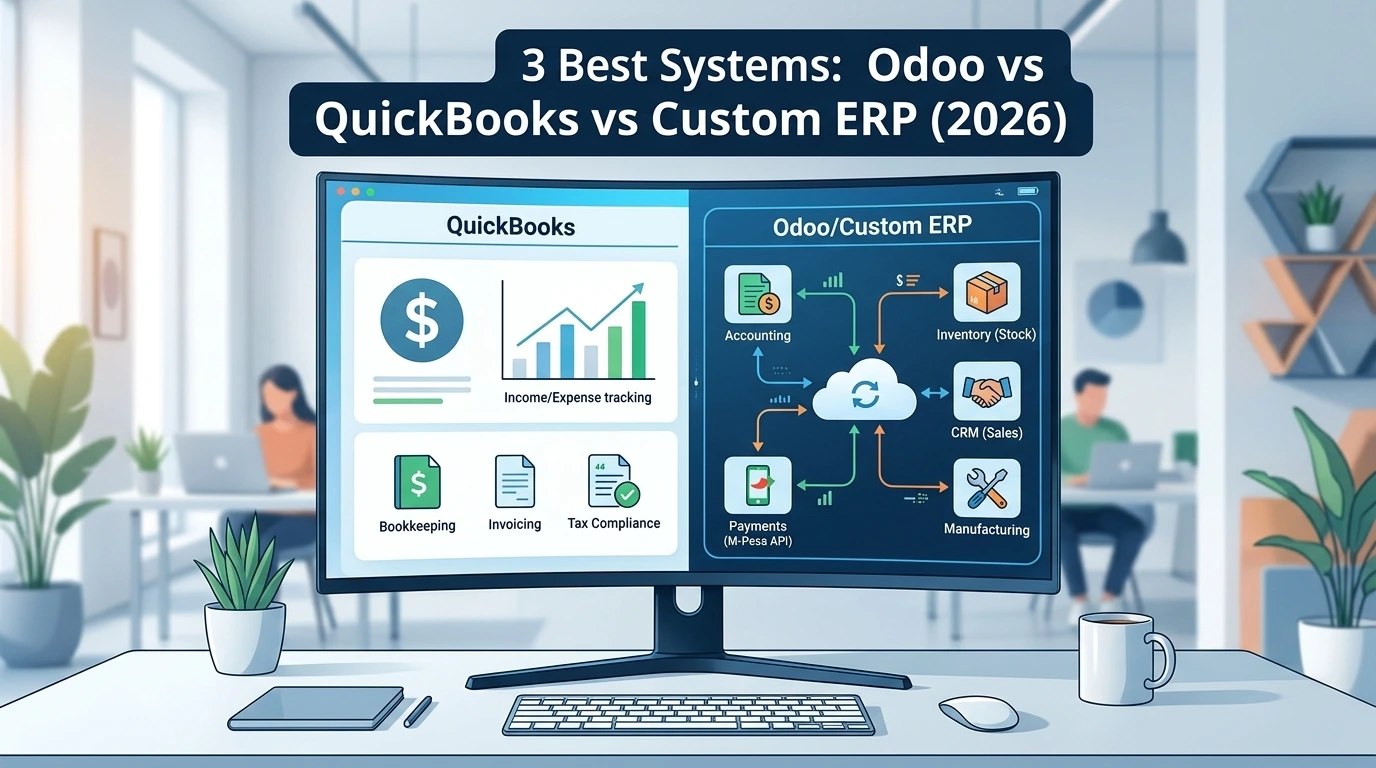

Choosing between Odoo vs QuickBooks or a custom enterprise solution determines how efficiently your company operates. When a business outgrows basic spreadsheets, choosing the wrong management platform often leads to unexpected software subscription costs, poor local payment integration, and rigid operational workflows.
Quick Summary for Decision Makers:
- QuickBooks: Best for small businesses needing basic tax preparation, simple invoicing, and clean bookkeeping without complex inventory needs.
- Odoo ERP: Best for mid-sized operational businesses wanting off-the-shelf, modular apps (CRM, manufacturing, warehouse management) ready to use out of the box.
- Custom ERP: Best for scaling companies with unique operational rules—such as local mobile payment reconciliations (M-Pesa C2B Paybill), microfinance loan schedules, or businesses wanting to eliminate recurring per-user monthly SaaS fees.
The Hidden Costs of Choosing the Wrong Business Software
Evaluating "Odoo vs QuickBooks" helps businesses determine if they need simple accounting or full operational management.When a growing business outgrows spreadsheets, management usually jumps to recognizable software brand names. However, implementing the wrong enterprise system often leads to three major operational bottlenecks:
- The Per-User Licensing Trap: Paying $30 to $150 per user every month means your software bill expands simply because you onboarded more field staff, storekeepers, or drivers.
- Local API Disconnects: Western off-the-shelf platforms are optimized for global processors like Stripe or PayPal. Connecting them to local mobile money payment rails (like Safaricom's Daraja C2B Paybill) often requires expensive third-party middleware or manual bank uploads.
- Forced Workflow Rigidity: Forcing your company to alter its proven operational rules just to fit how an off-the-shelf software package was coded.
Odoo vs QuickBooks vs Custom ERP Comparison
| Operational Metric | QuickBooks Online | Odoo ERP | Custom Enterprise ERP |
| Core Strengths | Tax reporting & basic ledgers | Modular off-the-shelf apps | Exact workflow matching |
| Local Payment Integrations | Manual entry / Workarounds | Requires custom Python modules | Native API / Webhook integration |
| Stock & Warehouse Depth | Basic stock tracking | Advanced multi-warehouse & MRP | Custom batch/serial & hardware integration |
| Recurring Cost Model | Monthly tier plans | Per-user / monthly apps | Zero per-user monthly fees |
| Custom Rule Flexibility | Rigid (Low) | Moderate (Requires Odoo dev) | 100% Unrestricted |
Deep Dive 1: QuickBooks Online (Best for Financial Accounting)
When comparing Odoo vs QuickBooks, QuickBooks remains an industry standard for small-business financial management. It handles chart-of-accounts, profit/loss tracking, and tax compliance cleanly. For official platform details, visit QuickBooks Online.
Where QuickBooks Succeeds:
- Clean reconciliation of standard bank statements and credit card feeds.
- Accounting firms and external auditors know the interface and can access reports instantly.
- Zero software development required; you can start issuing invoices within an hour.
Where QuickBooks Breaks Down:
- It is strictly an accounting tool, not an operational workflow engine. It cannot manage complex shop-floor manufacturing, automated loan schedules, or field delivery dispatches.
- It lacks native, real-time webhooks for processing automated local mobile payment notifications without manual intervention.
Deep Dive 2: Odoo ERP (Best for Standard Operational Scaling)
Odoo is a modular enterprise system. In the evaluation of Odoo vs QuickBooks, Odoo allows companies to start with a single module (e.g., Inventory) and activate additional modules (CRM, HR, Purchasing) as operational demands increase.
Where Odoo Succeeds:
- Eliminates data silos by linking sales orders directly to inventory deductions and financial ledgers.
- Includes built-in support for complex bill-of-materials (BOM) and multi-tier warehouse routing.
Where Odoo Breaks Down:
- Implementation Complexity: Customizing Odoo's Python codebase to support non-standard business logic requires specialized developers, raising execution costs.
- License Escalation: As your team grows to dozens of operational users, monthly user fees add up significantly.
Deep Dive 3: Custom ERP Systems (Best for High Margin Control & Local Logic)
A Custom ERP is built specifically for your exact business rules. Instead of adjusting your operations to match software defaults, the database schema, business logic, and user interface are engineered around your existing workflows.
Where a Custom ERP Outperforms Off-the-Shelf Software:
- Automated Local Reconciliations: Direct endpoint integration with payment APIs (such as M-Pesa C2B Paybill, bank APIs, or custom POS hardware) clears customer invoices automatically via instant webhooks without human entry.
- Specialized Business Rules: Supports niche operations—such as micro-lending interest schedules, group banking (chama) rules, coworking space biometric kiosk checks, or field sales tracking.
- Long-Term Ownership & Savings: Eliminates recurring per-user monthly software fees. You own your infrastructure and database completely.
Choosing between "Odoo vs QuickBooks" ultimately depends on your company's transaction volume and custom workflow needs.
Decision Framework: Which System Fits Your Business?
Comparing Odoo vs QuickBooks side by side clarifies which software matches your team's day-to-day workflow.
Ask Your Operations Team These 3 Questions:
- Do we only need financial statements and basic tax returns?👉 Choose QuickBooks
- Are our operations standard, and can we adapt to pre-built software rules?👉 Choose Odoo ERP
- Do we have unique local workflows, complex payment API needs, or 30+ users driving up SaaS subscription costs?👉 Build a Custom Enterprise System
Frequently Asked Questions
Here are answers to common questions business owners ask when comparing Odoo vs QuickBooks and custom enterprise solutions
1. Can we migrate our historical data from QuickBooks to a Custom ERP?
Yes. Historical customer records, chart of accounts, and outstanding balances can be exported via CSV files and seeded into your new custom database during deployment.
2. How long does a Custom ERP take to build compared to deploying Odoo?
A modular Custom ERP focused on core operational bottlenecks can be built and deployed in phases within 4 to 8 weeks, whereas complex Odoo implementations often require 3 to 6 months of customization.
3. How do automated mobile payment reconciliations work in a Custom ERP?
When a client pays via Paybill or bank transfer, the payment gateway triggers a real-time HTTP POST request (webhook) directly to your ERP server. The system parses the transaction code, account number, and amount, updates the database, marks the invoice as paid, and sends a confirmation SMS/email to the client instantly without human intervention.